Solution
The default download directory for Internet Explorer is the My Document folder. To change this location, follow these steps:
- Open the registry editor and navigate to HKEY_CURRENT_USER\Software\Microsoft\Internet Explorer.
- Create a new value of type String and name it Download Directory
- Open the new value and enter the new directory.
The result should look like this:
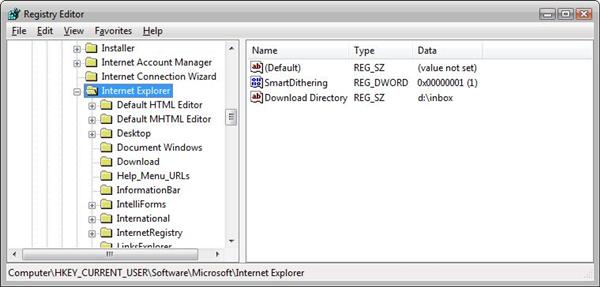
Registy editor with changed default folder for the Internet Explorer (click to enlarge)